A design that cut teacher admin by 30% and brought a preschool into a paperless era.
Team
Founding UX Designer (me),
Web Developers, Managing Director
Tools Used
Figma, Canva, Miro
Timeline
11 months
BYTE-SIZED INFO
tl;dr
We transformed communication for Curiouss Kids, a small Indian preschool, by designing a custom web app for teachers and a mobile app for parents. The goal was to replace time-consuming, unclear parent-teacher communication with a unified digital platform.
The final solution, designed by me, included features like daily progress logs, editable notices, and direct chat.
IMPACT
The difference it made.
Timely Updates
Parents started to receive updates about their kiddos' day within four-five hours after conclusion of the school day.
Going Paperless
The preschool was finally able to go paperless by using the application for posting all updates and eliminating the print paper count of 3000.
Saving Time
Reduced navigation time by eliminating 25 clicks between features, resulting in 40% faster access to key features and enhancing user satisfaction and efficiency.
Reduced Workflow
Teachers reported a 30% reduction in time spent on administrative tasks such as updating parents and organizing events, allowing them to focus more on teaching.
RESEARCH
Understanding the context.
Curiouss Kids was struggling with a fundamental problem: communication friction.
Parents wanted to stay informed about all the exciting activities and learning their children are experiencing. However, for teachers, communicating after school or through notes can be challenging and sometimes unclear.
Curiouss Kids was looking for a better way to keep parents in the loop, so they can feel like they're part of an awesome preschool adventure.
THE GOAL
How might we create a synchronized, stress-free communication channel for teachers and parents?
THE DESIGNS (TEACHER SIDE)
Breaking 'em down.
#1 Class-wise Notices
Class-wise notices can be uploaded by teachers in order to notify the parents regarding any submission, school event or a holiday.
THE BACKSTORY FOR THIS FEATURE
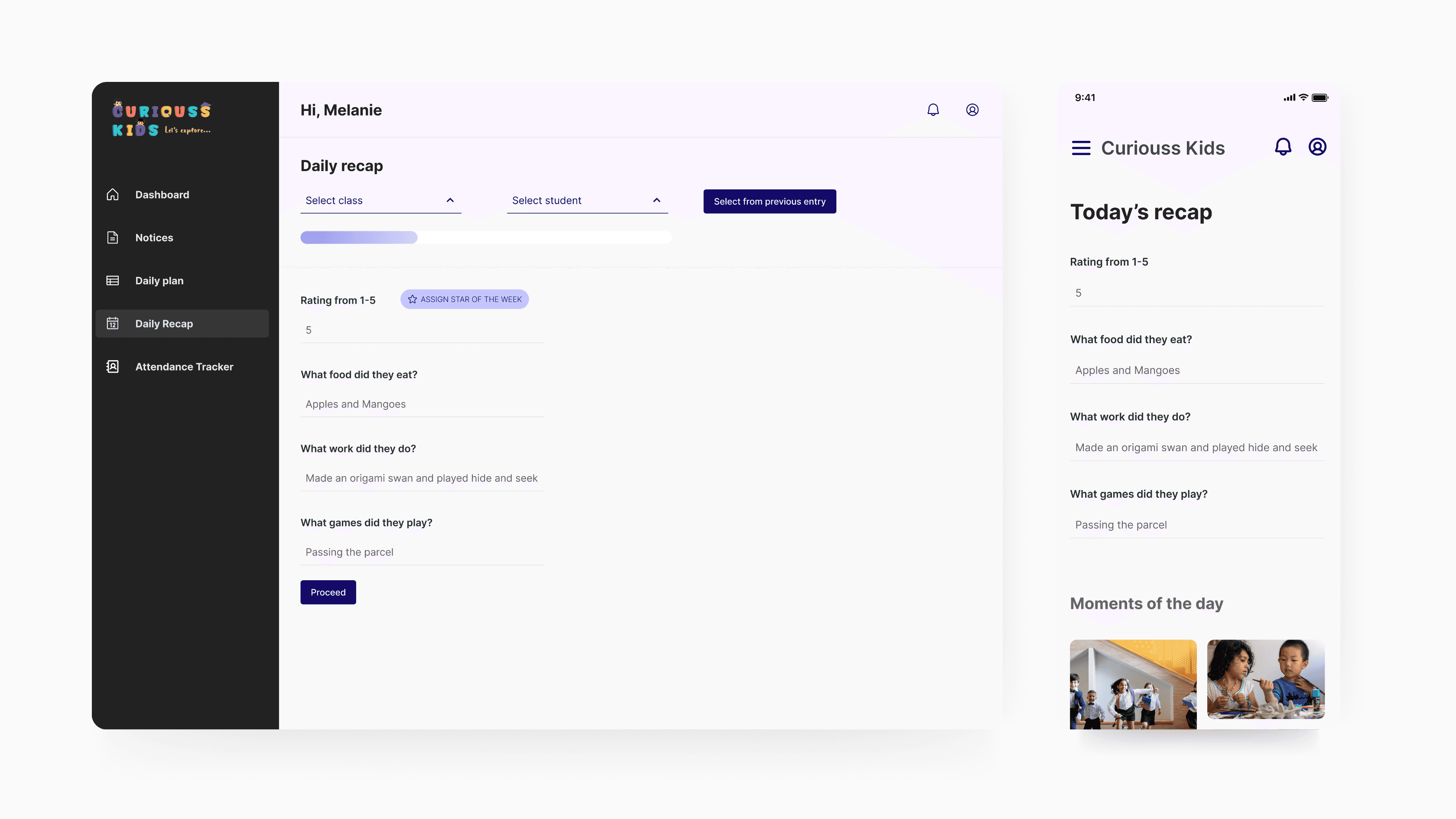
#2 Daily Recap
Using this the teachers can convey their observations on a child's progress, behavior, and noteworthy activities throughout the day to the parents.
THE BACKSTORY FOR THIS FEATURE
#3 Consolidated Class View
A unified dashboard brings together working days, class-wise student lists, and parent–teacher chats for smoother navigation.
THE BACKSTORY FOR THIS FEATURE
THE DESIGNS (PARENTS' VERSION)
Breaking 'em down Pt. 2.
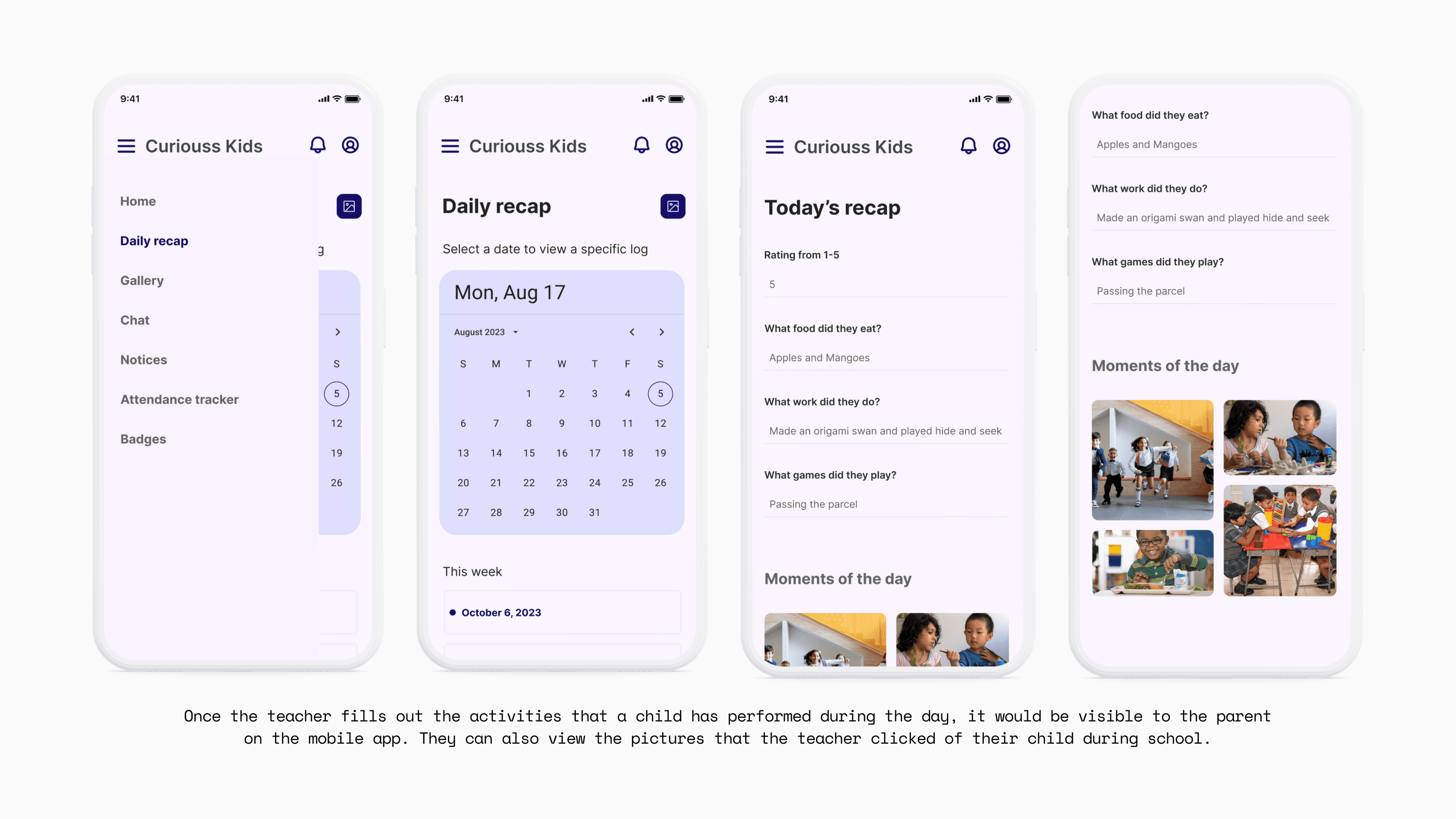
The mobile experience was designed with parents in mind, recognizing that they often check updates in short moments throughout the day.
Key information like daily recaps, announcements, and messages was made easy to scan and access with one hand.


FUTURE SCOPE
These were the things we could have added.
If this application was not for one school (and if we had more time on our hands) here's what we would have included...
Reliable Pickup
QR based pickup and drop-off of children to promote safety.
Digitized Payment
Online fee payment via the mobile application for parents.
Learning Supplements
Short online quizzes to aid the continuous learning process.
AFTERTHOUGHTS
What stayed with me.
Don't start off directly with screens.
Taking time to deeply understand the product and its context leads to design decisions that feel intentional rather than decorative.
Design is also about the people you work with.
Getting to know collaborators (with consent) revealed how individual workflows and constraints shape decisions, leading to better alignment and trust.
Think beyond today.
Designing with future monetization in mind ensured the product could grow sustainably without compromising the core user experience.
